Composition Notebook Design
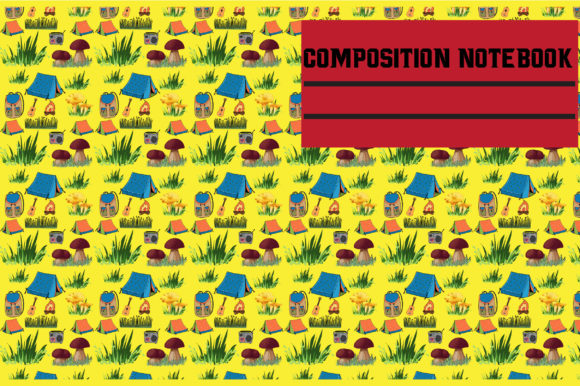
If you’ve ever flipped through a classic composition notebook—lined pages, marbled cover, sturdy binding—you know its quiet power. It’s not just stationery. It’s structure. Clarity. A blank slate with built-in intention. This digital Composition Notebook design captures that timeless utility and gives it new life: scalable, editable, and ready to adapt across your home business, creative practice, or personal projects.
No physical notebook ships. What you receive is a versatile digital toolkit—SVG, DXF, JPG, PNG, and EPS files—delivered instantly as a .zip file. Right-click, unzip, and begin. These aren’t decorative extras. They’re production-ready assets designed for real-world use: cutting machines, print-on-demand platforms, digital planners, social media templates, and more.
Why This Design Works Beyond Aesthetics
The Composition Notebook motif succeeds because it carries instant recognition and emotional resonance—school days, brainstorming sessions, journaling rituals, client notes. But unlike static imagery, this design is engineered for flexibility. The clean lines scale without distortion. The balanced negative space leaves room for text, logos, or layered elements. And the subtle texture in the PNG and JPG versions adds tactility—even on screen.
It’s not about nostalgia alone. It’s about leveraging familiarity to build trust. A freelance educator using this design on a printable lesson planner signals organization and care. A small-batch candle maker applying it to a product label hints at craftsmanship and thoughtfulness. A blogger embedding it into a Canva template invites readers to pause, reflect, and engage—not just scroll past.
Creative Uses That Scale With Your Goals
You don’t need a big budget or design degree to put this to work. Start where your workflow already lives:
- Print-on-demand products: Apply the design to mugs, tote bags, or notebooks via platforms like Printful or Gelato. Use the SVG to cut vinyl for custom stickers or iron-on transfers—ideal for packaging inserts or thank-you gifts.
- Digital tools: Import the PNG into Notion or Obsidian as a page header or section divider. Drop the SVG into Figma or Adobe XD to build branded note-taking templates for clients or course students.
- Social content: Layer the JPG over flat-lay photos of your workspace. Use the EPS version to create consistent Instagram Story frames—especially effective for weekly planning tips or behind-the-scenes reflections.
- Educational resources: Teachers and course creators can turn the lined layout (from the PNG or JPG) into fillable PDF worksheets—add editable fields in Acrobat, then sell or share as part of a resource bundle.
Adapting for Different Audiences—and Keeping It Authentic
A design only works when it serves people—not just looks good. Consider how your audience experiences information:
Freelancers and solopreneurs often juggle multiple roles. For them, the Composition Notebook design shines when applied to time-blocking calendars or client onboarding checklists—formats that reduce cognitive load. Keep text legible, spacing generous, and icons minimal. Avoid over-decorating; clarity trumps charm.
Hobbyists and educators benefit from tactile cues. Use the SVG to cut paper dividers for bullet journal spreads, or layer the PNG over scanned handwritten notes before sharing online. That slight grain in the background helps digital content feel grounded—not sterile.
For marketers and bloggers, consistency matters most. Use the EPS file to lock in brand-aligned colors (swap the marbled cover tone to match your palette) and reuse the same layout across lead magnets, email headers, and workshop handouts. Repetition builds recognition—without requiring new design work each time.
Practical Tips for Stronger Results
You don’t need every file type for every project. Here’s how to choose wisely:
- Use SVG for cutting machines (Cricut, Silhouette) and web-based vector editors. It retains crisp edges at any size and supports layers and grouping.
- Choose DXF when working with CNC routers or laser cutters—it’s widely supported in industrial software and preserves precise geometry.
- PNG is ideal for overlays, presentations, or social graphics—it includes transparency, so you can place it cleanly over photos or gradients.
- JPG offers broad compatibility for quick mockups, email attachments, or basic printing—just remember it doesn’t support transparency.
- EPS remains your go-to for professional print prep, especially if you’re handing files to a local printer or preparing packaging artwork.
Always test before scaling up. Print a 4×6 version of your sticker layout. Preview your SVG cut path at actual size in Cricut Design Space. Load the PNG into your email template and check contrast on mobile. Small checks prevent rework later.
Staying Organized Without Overcomplicating
Download the .zip, then immediately rename and sort:
- Create a folder labeled “Composition Notebook – [Your Brand/Project Name]”
- Inside, make subfolders: /SVG, /DXF, /PNG, /JPG, /EPS
- Add a simple text file noting which color hex codes you used (if customized) and where each version was last applied
This takes two minutes—and saves hours when you revisit the file six months later for a new product launch or seasonal refresh.
Remember: tools are only as useful as the habits around them. This Composition Notebook design isn’t meant to sit unused in a downloads folder. It’s meant to be opened, edited, printed, shared, and remixed—until it feels like part of your creative rhythm. Whether you’re sketching a business model, drafting a newsletter, prepping a workshop handout, or labeling handmade goods, it offers a familiar foundation you can build on—without starting from scratch.
That’s the real value. Not perfection. Not polish. Just reliable, adaptable, human-centered utility—delivered digitally, ready when you are.